


Al Ansari’s PayPlus Card makes it easier to manage your salary. This card is designed for UAE workers under the Wage Protection System. It allows online payments, secure cash withdrawals and salary deposits.
What is the Al Ansari PayPlus Card
Al Ansari PayPlus Card is also called the Payroll Card or Salary Card. It’s a pre-paid card that links to the UAE WPS System. The card is designed to do the following:
- Directly receive your monthly salary from your employer
- Use Visa/Mastercard to withdraw cash from ATMs in the UAE
- Purchase online and at POS
- Al Ansari Balance check via SMS, app, website or ATM
The card is a miniature bank account that’s perfect for those employees who don’t have a bank account.

Why register and activate your Al Ansari Pay Plus card?
PayPlus cards can only be used efficiently if they are registered and activated.
- Activate App and Online access – By registering, you can link your Al Ansari card with the Al Ansari app for mobile or website to check balances and monitor transactions in real time.
- Secure your Salary: Activation will protect the card with OTP and PIN authentication.
- You will receive notifications for all transactions, including salary withdrawals and deposits.
- Use all features – only registered cards with activated online payment and funds transfers can be used.
Step-by-Step Al Ansari PayPlus Card Registration
Gather all required documents
- Emirates ID
- Al Ansari PayPlus/Payroll Card
- The mobile number is linked with UAE employment or bank
- If you need to verify your salary, please provide a letter of employment.
Download the Al Ansari Official App
- Android: Google Play Store
- iOS: Apple App Store
- Tap Register.
- Enter your mobile number and Emirates ID.
- Verify OTP.

Create your account
- Create a password that is strong (letters and numbers or symbols).
- Use UAE PASS to secure your login
- Verify account creation using OTP
Link Your PayPlus Card
- Click on My Cards and Add a New Card
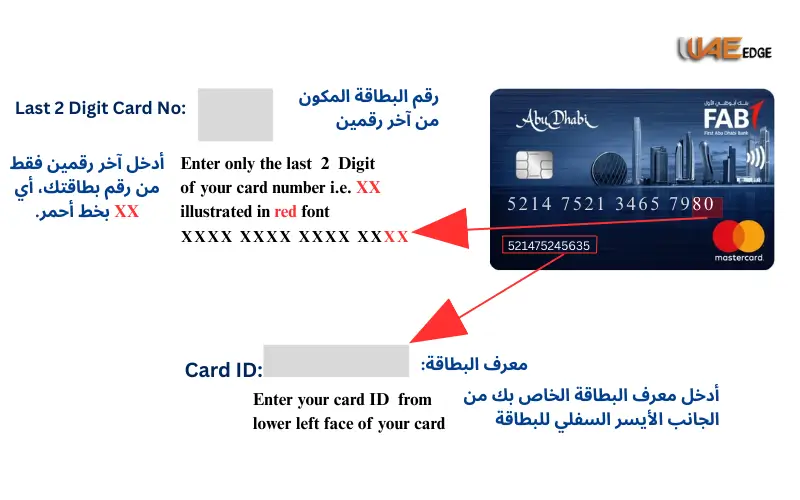
- Please enter your card number
- Verify your OTP via SMS
To avoid mistakes, double-check your card number.
Must Visit: Fab Balance Check
Activate Your PayPlus Card
Three methods are available for activation:
| Activation Process | Steps | Notes |
| Mobile App | Card Management – Activate card | Online/ATM activation instantaneous |
| Website | Login Card Services Activate | Browsers on mobile devices or laptops |
| Branch | Al Ansari branches near you | If online activation fails, you will need to activate your device manually |
SET PIN
- Click on Card Management and select Set/Change PIN.
- Select a PIN with 4 digits for security
- Save and confirm
- Do not share your OTP or PIN with anyone.
Troubleshooting common registration and activation issues
| Problem | Cause | Solution |
| OTP Not Received | The network may be delayed or incorrect mobile numbers can occur. | Contact support if you are unable to verify the number. |
| Card Not Linking | The wrong card number | Visit branch to verify card details |
| App errors | Updated app/server maintenance | Retry or update the app later |
| Activation fails | Problems with technical issue | Al Ansari Support 600 54 6000 |

Al Ansari card users: Tips and tricks
- Enable Push Notifications – Track salaries and transactions.
- Save Al Ansari’s helpline number: 600 54 6000.
- Regularly check your balance – detect unauthorized transactions as soon as possible.
- Use ATMs in partnership to avoid fees.
- Update your contact information to receive alerts and OTPs.
Conclusion
Al Ansari PayPlus card simplifies the salary management process for UAE workers. It is easy to register and activate your card. This allows you to track your spending and access digital banking.
- You can register via an app, website or branch
- Activate your card instantly
- Set up a strong PIN and turn on notifications
- Regularly check your balance for peace of Mind
You Can Also Like:
Etisalat Quick Pay Instant Bill Payment & Recharge Guide
How to Pay Etisalat Bill Online in UAE 2025 Guide
NBAD | Modern Banking in the UAE
FAQs
1. How soon can I activate my card after purchasing?
App/website instant; few minutes in branch
2. How do I register without an app?
You can order via the website or branch.
3. What happens if the OTP does not arrive?
Contact support for assistance if necessary.
4. Do I have to wait for my registration card before using it?
After activation, the device will only work.
5. Does registration and activation cost anything?
It’s completely free.