


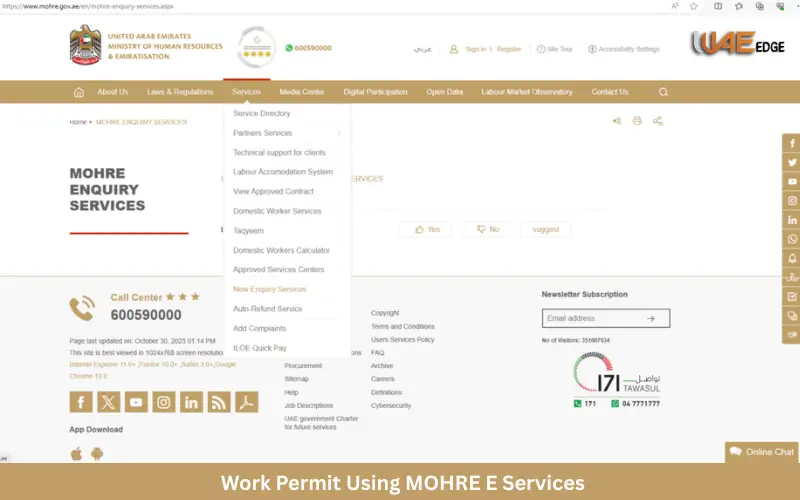
The process of applying for a UAE work permit is essential for both employees and employers. MOHRE’s eServices have made the process simple, quick, and safe. MOHRE stands for the Ministry of Human Resources and Emiratisation and offers a range of digital services that help employers, employees and business owners manage their labor-related activities online.
This guide will explain how to use MOHRE’s e Services for work permits. We will discuss requirements, point out common errors, and show why eServices are better than the traditional method.
Overview of MOHRE E Services
MOHRE’s e-services form part of the UAE’s digital transformation initiative. MOHRE’s eServices aim to increase efficiency, transparency and accessibility of labor services for employers and employees.
MOHRE’s eServices include:
- Employees can apply for a work permit
- The issuance of new contracts and their renewal
- Application and Processing of Visas
- File a complaint about a worker
- Wage Protection System Management
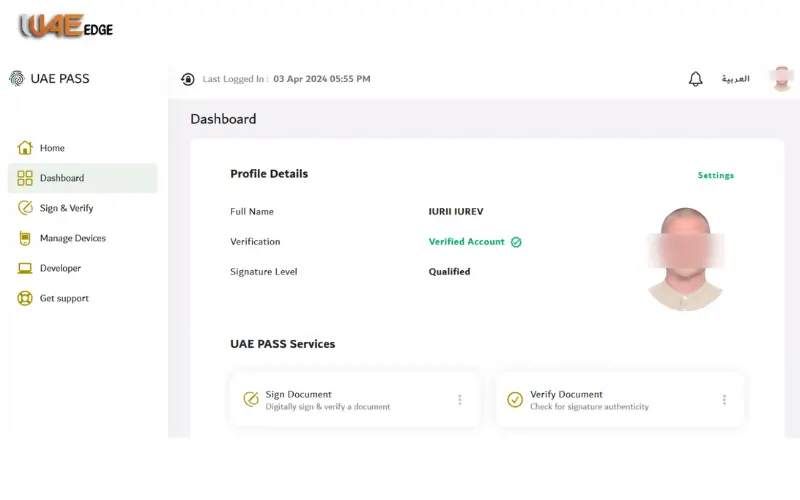
The MOHRE app and official portal are accessible using the UAE Pass digital ID. You can now complete the majority of government procedures without having to visit any offices.
You Also Like: iLOE Fine Payment
Requirements for Applying for a Work Permit
It is essential to gather all the required documents before you begin your application. All documents must be ready to ensure that the application will go smoothly.
Requirements and information:
- Valid passport valid for at least 6 months.
- If the applicant has already arrived in the U.S., a visa copy is required.
- Contract of Labour – Renewal or Transfer
- An Emirates ID is required to verify digitally.
- Documents d’entreprise – licence de commerce or card d’établissement (for employers submitting applications on behalf of their employees).
How to make your application go smoothly:
- Scan all documents in JPEG or PDF format.
- File sizes should be kept within portal limits
- Check all details carefully before submitting
Step-by-Step Guide to Applying for Work Permit Online
If you take the correct steps, applying for an MOHRE work permit is simple. This is a step-by-step tutorial:
Step 1 – Access MOHRE E Services Portal
Open the MOHRE App or the MOHRE official website on your device. You can log in using:
- UAE Pass – a secure digital identity
- If you already own an MOHRE account, please register your credentials.
You will be able to access all eServices available, including applications for work permits, once you have logged in.
Step 2 – Choose the Work Permit Application Service
You will see the section “Work Permit”. There are options like:
- Employees applying for new work permits should submit a New Application.
- Renewal is for existing permits that are being renewed
Choose the right service for you.
Step 3 – Fill in Employee and Employer Details
You must provide complete and accurate information regarding the employer as well as the employee.
Employer Details
- Name
- Number of passports and date of expiry
- Details of visa (if you are already in the UAE)
Employer Details:
- Company name
- Trade license number
- Location of the Labour Office
Avoid these common mistakes
- The incorrect spelling of names
- Wrong passport numbers
- Visa or contract of employment information missing
Double-check everything before you proceed.
Step 4 – Upload Required Documents
All documents must be uploaded in the format supported by MOHRE. Documents include:
- Passport Copy
- Visa copy
- Photo of Employee
- Contract of Employment
To avoid submitting errors, check the file format and size requirements.
Step 5 – Review and Submit Application
Check all details before submitting. Verify that your document matches all the details.
Click “Submit” when you’re sure that all is well. The portal will send you a confirmation or reference number after submission.
You can save or take a screenshot of the confirmation to keep for yourself. You can use this to track your application.
Step 6 – Track Application Status
You can check the status of your application by using the reference code. You can:
- Verify if your application has been reviewed
- Verify if your permit was approved or denied
- You can download the work permit-approved document
This depends on both the type of permit you have and the completeness of your documents.
Your application has been rejected
- MOHRE: Review the reasons provided
- Corrections should be made immediately
- Submit your application again
Fees and Payment Methods
Certain fees may be charged for the application of a work visa through MOHRE’s eServices. Multiple payment methods are supported by the portal:
- Card
- Card Debit
- Transfer money online
The portal will provide a receipt after payment. This receipt is proof of payment that should be kept for future use.
Common Issues and How to Avoid Them
Although MOHRE’s eServices are easy to use, some applicants still face problems. These are the most common issues:
- Applications rejected for incorrect or missing information
- Problems with login on mobile or portal
- Uploading documents fails due to incorrect format or size
Avoid problems by following these tips
- Only use official MOHRE apps or websites
- Double-check all information and documents
- Stable internet connections are recommended
- If you need guidance, contact MOHRE Support.
Benefits of Using MOHRE E Services for Work Permit
MOHRE’s eServices have multiple advantages over the traditional method:
- Quick processing is possible without having to visit the office
- Automated checks reduce the risk of error
- Track your application status online
- Compliant with UAE labor laws and data protection
- Access anytime on your mobile device or PC
These services will ensure that the work permit application process is safe and efficient.
Tips for a Smooth Application Process
Make the process as easy as possible.
- Documents to be prepared in advance
- Only use official apps and websites
- Have your Emirates ID card and passport at the ready
- Reduce server wait times by avoiding peak hours
- Keep confirmation emails, screenshots and other documents.
These tips can help you to reduce errors and delays in the application process.
Conclusion
The fastest, most secure, and easiest way to handle labor applications in the UAE is by using MOHRE’s e Services. You can easily submit your online application without having to visit government offices.
The MOHRE electronic services make it easy to renew multiple permits or apply for new ones. Save time by submitting your application for a work permit via MOHRE’s eServices.
FAQs
Q1: How long does it take to get work permit approval?
A: It can take 3-7 days, depending on how complete the documents are.
Q2: Can expats apply for work permits themselves?
Employees can apply for a UAE Pass if they possess all the necessary documents and a valid UAE Pass.
Q3: Are MOHRE e-services free to use?
The portal can be accessed for free. However, work permits require an additional processing fee.
Q4: How can I correct mistakes in my submitted application?
Contact MOHRE Customer Support or use the Edit option on the Portal before approval.
Q5: Can employers apply for multiple employees at once?
The MOHRE Portal supports bulk applications for businesses.