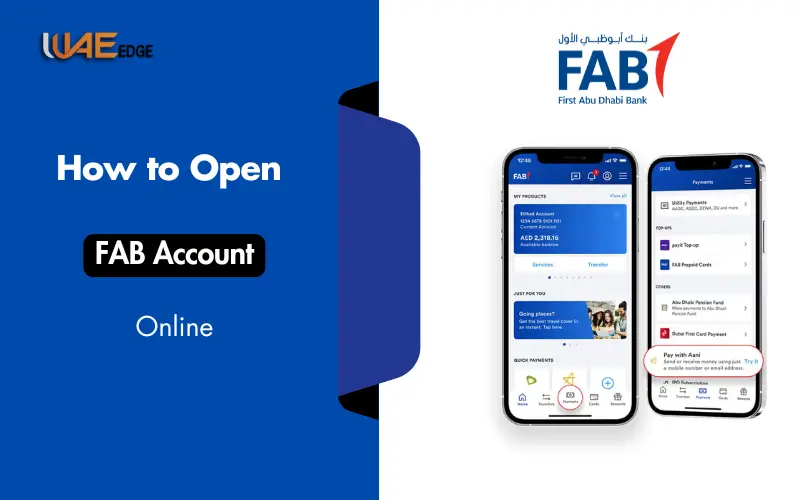



Today’s digital age has seen the evolution of traditional banking from branch visits to online-only services. Modern banking offers the convenience of accessing your FAB Bank statements online from anywhere. First Abu Dhabi Bank offers its clients a convenient, seamless, and secure way to handle their digital finances.
You can access your FAB account statement online, whether you’re an individual or business customer. It gives you convenience, transparency, and complete control of your finances. This guide provides step-by-step directions, highlights benefits, addresses troubleshooting, and shares security tips.
Understanding FAB Bank Statements
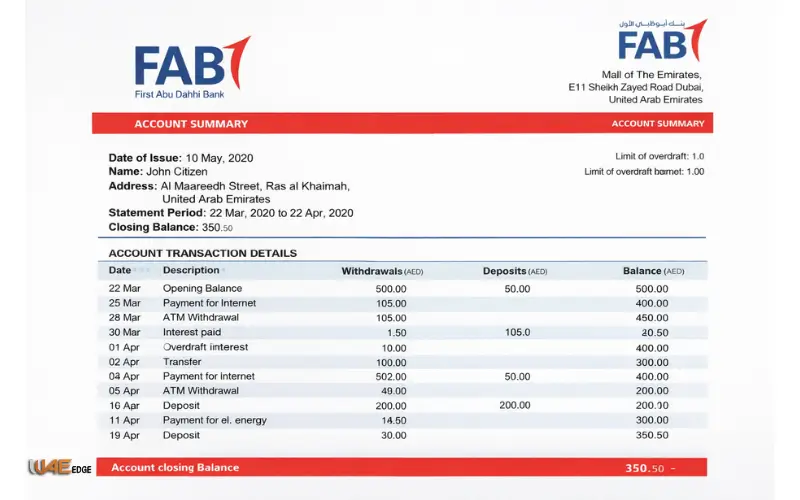
FAB Bank Statements are a record of your financial activity over a specified period. It is important to understand your bank statement for planning and budgeting.
Deposits
The deposit includes any amount credited to your bank account.
- Salary Payments
- Transfers to other accounts
- Refunds, reimbursements
Withdrawals
When you withdraw money from your account, it includes:
- Cash withdrawals from the ATM
- Transfers online
- Paying for services and bills
Charges
The bank statement may reflect fees for services, such as:
- Maintenance fees for accounts
- Transfer or payment fees
- Overdraft charges
You can also find out more about the Interest Rates
Interest is charged on some FAB accounts and savings accounts. This interest will appear in your statement. Monitoring interest can help you better understand your balance.
You must meet certain requirements to access your FAB Bank statement online
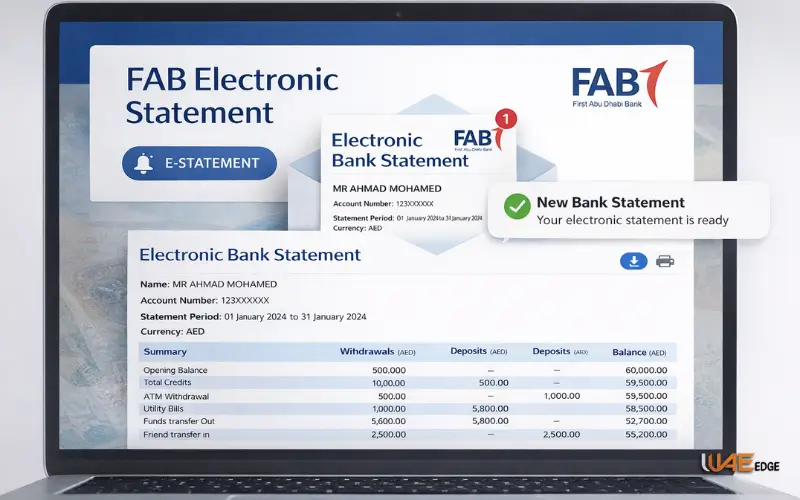
You will need the following to access your FAB electronic statement:
FAB Online Banking Enrollment
You must have FAB Online Banking if you want to view your statements online. You can log on and securely access your account.
Secure Login Credentials
What you will need is:
- Customer Identification
- Use a PIN or password
- Double-factor authentication: OTP sent to the registered mobile
Secure Internet Connection
To protect your information, always use a secure network such as Wi-Fi at home or your mobile phone data.
Phone Number and E-mail Address
Verification and account notifications require your registered email and mobile number.
How to access your FAB Bank statement online
Step 1: Signing Up for FAB Online Banking
- Download the FAB Mobile App or visit the FAB Website ( http://www.bankfab.com).
- You can register your account by using the Customer ID number and Account Number.
- You can verify your identity by using the OTP that is sent to your mobile number.
Step 2: Logging into the Online Banking Portal
- FAB’s website or mobile app will ask you to enter your username and password.
- Completion of the 2-factor authentication process.
Step 3: Navigating to the ‘Statements’ Section
- Click on the Accounts or Statements tab once you are logged in.
- Choose the account that you wish to receive a statement for.
Step 4: Choosing the Date Range
- Choose a statement period of monthly, quarterly or custom.
- Make sure the dates you choose cover all transactions that you wish to examine.
Step 5: Viewing and Downloading the Statement
- To view a transactional history, click View Statement.
- The statement can be downloaded as a pdf for offline use or printing.
Step 6: Statement via Email Option
- FAB allows you to also receive your statements by email.
- Activate the automatic email updates by activating this feature.
Accessing FAB Bank Statements via Mobile App
The AB Mobile App is a convenient way to view your statement on the move.
Step 1: Download and Install the FAB Mobile App
- Apps are available for iOS and Android.
Step 2: Logging into Your Account
- You can log in using your customer ID, password, or biometric (Face ID/fingerprint).
Step 3: Access the Statements Section
- Select ‘Statements” from the Accounts tab.
Step 4: Select Statement Period
- Select the dates you require for your electronic statement.
Step 5: View, Download, and Save Statement
- You can save statements on your device or print them out.
Step 6: Explore Additional Features
- Keep track of your expenditures
- Notifications of incoming and outgoing funds
- Connect multiple accounts to make management easier
FAB Bank Statements: Alternative Access Methods
FAB offers a variety of access methods.
- Use of the FAB website: Access to all features on desktop.
- Using FAB Mobile App: Convenient on-the-go access.
- Requesting Statement via Email: Automatic delivery of monthly statements.
- Accessing Statements Via ATMs or Kiosks: Instantly print statements at FAB ATMs.
Typical Issues with Troubleshooting
Some users have minor problems despite the platform’s effectiveness:
Problems with Login
- You can reset your password by using the “Forgot Password” feature.
- Update your app or clear the cache in your browser.
No Statement Available
- You can check if you are eligible to receive e-statements.
- Contact customer support for delayed or missing statements.
Unrecognized Transactions
- Check your transaction history carefully.
- FAB Customer Support should be notified immediately of any discrepancies.
Benefits of checking your FAB bank statement online
The convenience and speed
You can access your statements without having to visit the branch.
Eco-friendly & Paperless
Reducing paper consumption and contributing to sustainability
Easy Record-Keeping
Digitally save statements for future use.
Real-Time Access
Be able to track transactions in real time for improved financial management.
FAB Online Statements: Security Tips
Follow these steps to protect your online bank account:
Use strong passwords
Include numbers and symbols, as well as uppercase and lowercase letters.
Enable Two-Factor Authentication
An additional layer of security using OTP and mobile confirmation
Always Log Out After Use
Keep your account closed on devices that are public.
Avoid Public Networks
When accessing sensitive data, use private Wi-Fi networks or mobile data.
How to Recover FAB Online Banking When You Cannot Log in
- You can check for system maintenance notifications on FAB’s website or mobile app.
- Access alternative services via ATMs, mobile apps, and branches.
- Call FAB Customer Support: (971) 2 681 1501 or email contact@bankfab.com
Conclusion:
FAB Bank’s online statement is now faster, easier, and more secure than before. The platform is designed to cater to individuals as well as businesses, offering a digital interface that allows them to check transactions and download PDF statements.
Follow this guide to manage your accounts online with confidence, minimize paperwork, and keep up-to-date on account activity. Use multiple methods of access and adopt the best security practices to maximize convenience.
FAB is the way to go for seamless and fully integrated financial management.
Related Blogs:
FAB Bank Salary Account Balance Check Online
ATM Balance Check in UAE – Quick and Secure Guide 2026
FAB ATM Balance Inquiry Guide 2026
PPC FAB – Your Complete Guide to First Abu Dhabi Bank Digital Banking
FAQs
What is the online FAB statement?
Follow the instructions below to download or view your statements.
What is the PDF format for my FAB statement?
Statements can be downloaded in PDF for printing or offline use.
Does FAB Online Banking provide secure access?
You can, using multi-layered encryption and two-factor authentication.
Can businesses use FAB’s online statements services?
Corporate accounts allow you to manage your payroll, payments for suppliers, and multiple users.
What is the best way to troubleshoot missing statement?
Verify account registration or contact FAB Support.
How can I get FAB Statements from abroad?
You can, provided you have Internet access and valid login credentials.
What is the time limit for online access to statements?
The e-statements will usually be available to you for a minimum of 12 months, depending on the type of account.