

Do you want to know how easy it is to check Ratibi Card balance or salary? This guide will show you how to check your Ratibi Card balance or salary online, on your phone, and even offline.
This comprehensive guide will show you how to check the balance of your Ratibi Card using all available methods, such as SMS, ATMs, Telephone Banking, Payit Wallets, PPC Inquiry Portals, FAB Mobile Apps, Payit Wallets, SMS and Branch Visits. You’ll be able to easily check your pay anywhere and anytime.
What is a Ratibi Card?
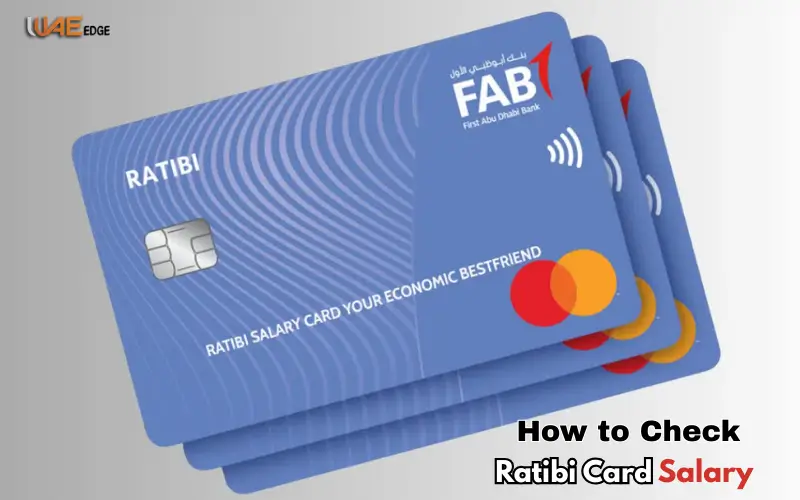
First Abu Dhabi Bank offers the Ratibi Card, a pre-paid salary card. The card allows employees to get their salary without opening a bank account.
The Ratibi Card has the following features:
- No bank account required
- Make purchases or withdraw cash at ATMs
- Online or In-Store Bill Payment
- Work with UAE transactions and international business.
- Compliant with the UAE Wage Protection System
The card simplifies the management of salaries for those earning AED 5,000 and above.
8 Easy Ways to Ratibi Card Salary Check
You can check your Ratibi card balance through online and offline methods. Some require internet access, while others do not.
| Method | Online/Offline | Speed | Requirement |
| PPC Inquiry Portal | Online | Instant | Card ID & last 2 digits of card |
| SMS Banking | Offline | 1–3 min | UAE registered mobile number |
| FAB Mobile App | Online | Seconds | Login credentials & mobile app |
| FAB Online Banking | Online | Seconds | FAB account login |
| Payit Wallet App | Online | Seconds | Ratibi card & Emirates ID |
| ATM | Offline | 1–2 min | Ratibi card & PIN |
| FAB Branch Visit | Offline | Depends | Ratibi card & Emirates ID |
| Telephone Banking | Offline | 3–5 min | Ratibi card & mobile phone |
Step-by-Step Guide to Checking Your Ratibi Card Salary
1. Check via PPC Inquiry Portal (Fast & Free)
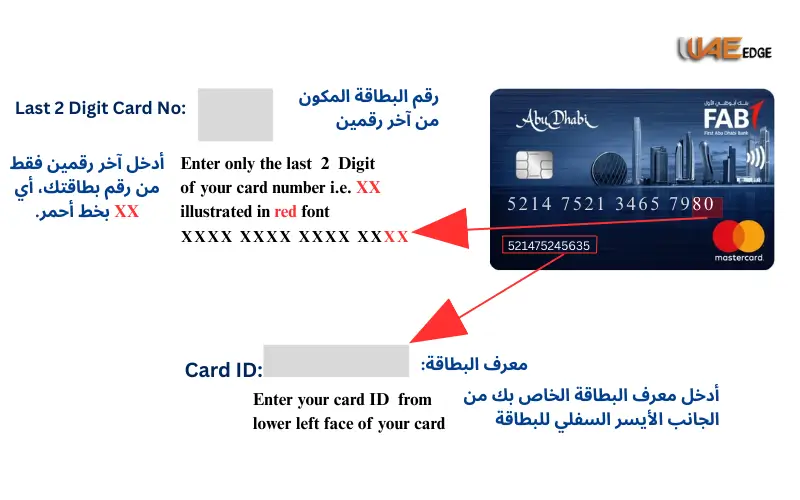
- Search for “PPC Inquiry Portal Magnat” in your browser.
- The last two digits on your Ratibi Card.
- Your Card ID can be found on the back of your card.
- Click on Go.
- Instantly, your salary is displayed.
Use this method if you are using a desktop computer.
2. Check via SMS Banking
- Verify that your FAB phone number has been registered.
- Send an SMS containing your 13-digit Ratibi Card number.
- Please send it to the number 2121.
- Your card balance will be sent to you via SMS.
Work without Internet
3. Ratibi Card Salary Check via FAB Mobile App
- FAB Mobile App is available on Android, iOS, and Huawei App Gallery.
- Use your Ratibi Card or account information to log in.
- Click on the Card section.
- Select your Ratibi card.
- Instantly view your balance.
4. Check via FAB Online Banking (PC/Laptop)
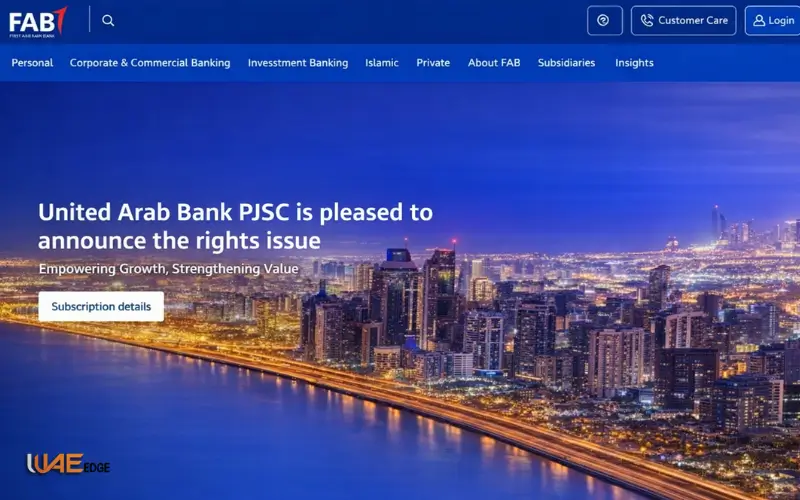
- Visit the official FAB website.
- Please click Login to access Personal Online Banking in the United Arab Emirates.
- Please enter your Username & Password, or Register if you are a new user.
- Choose your Ratibi Card under “Accounts/Cards”.
- Check your available balance.
5. Check via ATM
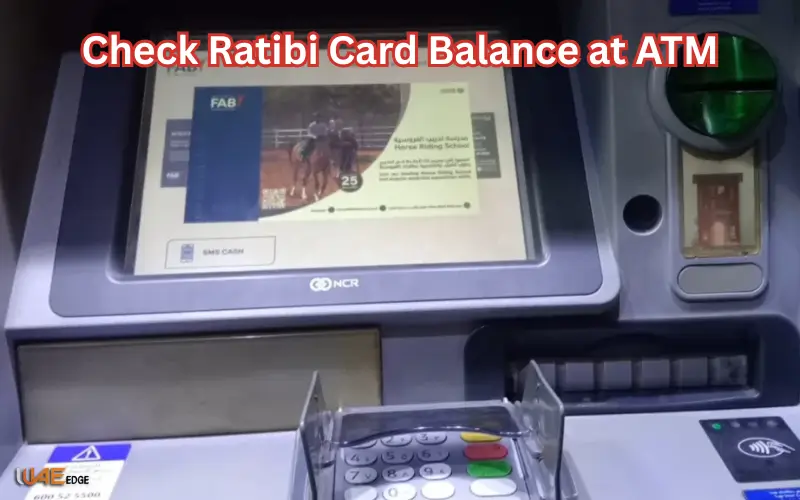
- Find the FAB ATM nearest you.
- Select a language and insert your Ratibi Card.
- Enter your PIN.
- Choose Balance Inquiry to Display on Screen.
- You can print a receipt.
Work offline, without Internet
6. Check via Payit Wallet App
- Install the Payit App in your App Store.
- Select Ratibi Card Holder when you sign up.
- Verify your Emirates ID by scanning it.
- Please enter your card ID number and the last two digits.
- Please enter your OTP and mobile number.
- Create a PIN with 4 digits.
- Instantly view your account balance.
7. Check at FAB Branch
- Find your local FAB branch.
- Bring your Ratibi Card and Emirates ID.
- You can ask the teller for an inquiry about your balance.
- Instantly receive your salary.
8. Check via Telephone Banking
- Contact the Ratibi Helpline
- UAE: 600522298
- International: +971(2)4996279
- FAB Virtual Agent is available to assist you.
- Provide your card details.
- Call to check your balance.
The best for those who are not tech-savvy.
Benefits of Checking Your Card Salary Regularly
- Spend less and budget smartly:
- Fraud detection: Spotting unauthorized transactions as early as possible.
- Know your salary and enjoy peace of mind.
Safety Tips for Balance Checking
- Avoid using public WiFi.
- Log out after use.
- Use only official applications or portals.
- Enable two-factor authentication.
- Keep your devices updated.
Troubleshooting Common Issues
| Issue | Solution |
| Website not opening | Retry after a few minutes |
| ATM swallowed card | Visit nearest FAB branch |
| Forgot login password | Use “Forget PIN” link on portal/app |
| Balance incorrect | Contact FAB customer support |
Conclusion
It’s easy to check your Ratibi Card Salary, no matter if you use online, mobile, or offline methods. You can check your salary using the PPC Inquiry Portal, SMS, mobile applications, ATMs, branches, and telephone.
You can budget more effectively, avoid fraud, and have peace of mind by performing regular checks. Use official channels and follow safety guidelines to maintain your Ratibi Card.
FAQs About Ratibi Card Salary Check
Can I check my balance abroad?
You can usethe FAB Mobile App and the PPC Portal.
Do I need a bank account to get a Ratibi card?
Ratibi, however, is not a salary card.
Is there a minimum balance?
There is no minimum amount required.
Can I withdraw cash from other bank ATMs?
You can, but there may be charges.
What documents do I need for a Ratibi card?
Emirates ID, passport with residency visa, certificate of salary, and photo.
Does the Ratibi card provide insurance?
Accident insurance coverage and repatriation cover are both included.
Can I pay bills with Ratibi card?
Yes to Du, Etisalat Salik Mawaqif, and many more.
How can I activate my new Ratibi card?
You can use the FAB App, Payit App, an ATM, or visit a branch.
What if my card is lost or stolen?
Call the Ratibi Helpline immediately.
Can I use the Payit Wallet for other FAB prepaid cards?
Nafis Wallet and ADDRESS are all supported.